
Blog

  • How Real Estate Agents Can Use AI to Win More Local Clients

    How Real Estate Agents Can Use AI to Win More Local Clients

    Why AI Matters for Real Estate Agents Right Now

    Most agents don’t lose clients because they lack skill. They lose them because of time. Between showings, paperwork, calls, and negotiations, there’s little time left for marketing, content, and following up with every lead.

    That’s exactly where AI helps. It doesn’t replace your local knowledge or your relationships. Instead, it handles the repetitive work so you can focus on what actually wins clients: personal service and expert advice.

    With the right approach, AI can help you:

    • Show up in more local searches on Google and AI-powered tools
    • Respond to leads faster, even after hours
    • Create marketing content in minutes instead of hours
    • Stay in touch with past clients so they come back and refer others
    • Understand your local market and share insights that build trust

    In a business where speed and visibility matter, these advantages add up quickly.

    10 Ways Real Estate Agents Can Use AI to Win More Local Clients

    1. Create Hyperlocal Content That Ranks on Google

    People search for specific neighborhoods, not just cities. Content like “Living in Plano: Neighborhood Guide” or “Best School Districts in Scottsdale” can bring motivated buyers to your website.

    How to use AI:

    • Ask AI to brainstorm neighborhood guide topics and questions local buyers ask.
    • Use it to outline and draft guides, then add your own insights, photos, and local tips.
    • Target long-tail keywords like “homes for sale near [school name]” or “moving to [suburb].”

    2. Optimize Your Google Business Profile

    Your Google Business Profile is often the first thing local clients see when they search for an agent. A complete, active profile helps you appear in the Google Maps “local pack.”

    How to use AI:

    • Write a clear, keyword-rich business description with AI’s help.
    • Use AI to draft weekly posts about new listings, open houses, and market updates.
    • Generate answers for common questions in the Q&A section.

    3. Write Better Listing Descriptions Faster

    A strong listing description helps a property stand out and attracts more interest. AI can turn your notes into polished copy in seconds.

    How to use AI:

    • Give AI the property’s key features, upgrades, and neighborhood highlights.
    • Ask for a few versions in different tones, such as luxury, family-friendly, or investor-focused.
    • Always review for accuracy and make sure the language follows Fair Housing guidelines.

    4. Produce Social Media Content and Video Scripts

    Social media keeps you visible in your community. Consistent posting builds recognition, so when someone is ready to buy or sell, they think of you first.

    How to use AI:

    • Plan a monthly content calendar with AI, mixing listings, local events, tips, and market updates.
    • Write captions and short video scripts for Instagram Reels, TikTok, YouTube Shorts, and Facebook.
    • Repurpose one blog post into several social media posts.

    5. Capture Leads 24/7 With AI Chatbots

    Many buyers browse homes at night and on weekends. If no one answers, they move on to another agent. An AI chatbot on your website can respond instantly.

    How to use AI:

    • Add a chatbot that answers common questions and collects contact details.
    • Use it to ask simple qualifying questions, such as budget, timeline, and preferred areas.
    • Set it to book showings or consultations directly on your calendar.

    6. Follow Up With Every Lead Automatically

    Many deals are lost simply because follow-up stops too soon. AI-powered CRM tools help you stay in touch without forgetting anyone.

    How to use AI:

    • Use AI to write personalized follow-up emails and texts based on each lead’s interests.
    • Set up automated drip campaigns for new leads, past clients, and sphere contacts.
    • Let AI flag which leads are most active, so you know who to call first.

    7. Share Local Market Reports That Build Trust

    Clients want an agent who understands the numbers. Regular market updates position you as the local expert.

    How to use AI:

    • Use AI to summarize local market data, such as median prices, days on market, and inventory.
    • Turn the summary into an easy monthly email, blog post, or social media graphic.
    • Always confirm figures against your MLS or another trusted source before publishing.

    8. Use Virtual Staging and Photo Enhancement

    Buyers decide quickly based on photos. AI tools can virtually stage empty rooms and improve listing photos at a fraction of the cost of physical staging.

    How to use AI:

    • Virtually stage empty rooms to help buyers picture the space.
    • Improve lighting, sky, and color in listing photos.
    • Clearly label virtually staged photos, following your MLS rules and local requirements.

    9. Run Smarter Local Ads

    Paid ads can bring quick leads, but they can also waste money if they’re poorly targeted. AI helps you write better ads and improve results over time.

    How to use AI:

    • Generate multiple ad headlines and descriptions to test.
    • Use the built-in AI features in Google and Meta ad platforms to improve performance.
    • Note that housing ads in the USA fall under special ad category rules on platforms like Meta, which limit certain targeting options to support fair housing.

    10. Get Found in AI Search and Collect More Reviews

    More people are asking AI tools for agent recommendations. These tools rely on clear, trustworthy information about you online, and reviews are a big part of that.

    How to use AI:

    • Ask happy clients for reviews after every closing, and use AI to draft friendly request messages.
    • Reply to every review in a thoughtful, professional way.
    • Keep your name, contact details, and service areas consistent across your website, Google, Zillow, Realtor.com, and social profiles.
    • Add FAQ sections to your website that answer common local questions clearly.

    Helpful AI Tools for Real Estate Agents

    You don’t need dozens of tools to get started. Here are some common types of AI tools and what they’re best for:

    Tool TypeExamplesBest For
    AI writing assistantsChatGPT, Claude, GeminiListing descriptions, blog posts, emails, social captions
    Real estate CRMs with AIFollow Up Boss, Lofty, kvCORELead scoring, automated follow-up, drip campaigns
    Website chatbotsStructurely, TidioAnswering questions and capturing leads 24/7
    Virtual staging toolsVirtual Staging AI, BoxBrownieStaging empty rooms and enhancing listing photos
    Design toolsCanvaMarket report graphics, flyers, and social posts
    Video toolsCapCut, DescriptEditing short property and neighborhood videos
    SEO toolsGoogle Search Console, SemrushTracking keywords and website performance

    Tip: Start with one writing assistant and your CRM’s built-in AI features. Add more tools only when you have a clear need.

    Using AI Responsibly: Mistakes Real Estate Agents Should Avoid

    AI is a powerful assistant, but real estate is a regulated, trust-based business. Keep these points in mind:

    • Ignoring Fair Housing rules. AI can sometimes produce language that describes ideal buyers or neighborhoods in ways that may violate the Fair Housing Act. Describe the property, not the people, and review every piece of content before publishing.
    • Publishing unchecked facts. AI can get square footage, school information, taxes, or market numbers wrong. Always verify details against the MLS, public records, or official sources.
    • Not disclosing virtual staging. Edited or staged photos should be clearly labeled so buyers aren’t misled. Follow your MLS and local rules.
    • Sharing private client information. Avoid entering sensitive client details into AI tools unless you know how the tool stores and protects that data.
    • Sounding robotic. Generic AI content won’t build relationships. Add your voice, local stories, and personal insights.
    • Replacing the human touch. Clients still want a real person for big decisions. Use AI to save time, then spend that time on calls, showings, and personal service.

    Frequently Asked Questions

    How can real estate agents use AI to get more clients?

    Agents can use AI to create local content that ranks on Google, keep their Google Business Profile active, write listings and social posts faster, respond to leads instantly with chatbots, and automate follow-up so no lead is forgotten.

    Will AI replace real estate agents?

    No. AI can handle repetitive tasks, but buyers and sellers still rely on agents for local knowledge, negotiation, pricing advice, and guidance through one of the biggest financial decisions of their lives.

    What is the best AI tool for real estate agents?

    There’s no single best tool. Most agents start with an AI writing assistant like ChatGPT, Claude, or Gemini, plus a real estate CRM with built-in AI features for lead management and follow-up.

    Is it legal to use AI for real estate marketing?

    Yes, but agents are still responsible for everything they publish. Content must follow Fair Housing laws, advertising rules, MLS policies, and state licensing requirements, whether it was written by a person or by AI.

    How can I get my real estate business recommended by AI tools?

    Keep your business information accurate and consistent online, collect reviews regularly, publish helpful local content, and answer common buyer and seller questions clearly on your website.

    How long does it take to see results from AI marketing?

    Quick wins, like faster lead responses and more consistent social posts, can happen right away. SEO results, such as ranking for local searches, usually take three to six months of steady effort.

    Turn AI Into Your Competitive Edge

    The agents who win more local clients aren’t always the ones with the biggest budgets. They’re the ones who show up where buyers and sellers are searching, respond quickly, and stay in touch consistently. AI makes all three easier.

    Start small. Pick one or two ideas from this guide, such as hyperlocal blog content or automated lead follow-up, and build from there. Use AI to save time, then put that time back into what matters most: serving your clients.

    Ready to grow your real estate business with AI? At Anexplore Digital, we help real estate agents and teams attract more local clients with AI-powered SEO, content, social media marketing, and lead generation. Contact Anexplore Digital today to get started.

    Disclaimer: This article is for general informational purposes only and is not legal advice. Real estate advertising rules vary by state and MLS. Always follow Fair Housing laws and your local licensing requirements.
  • Top 10 Law Firms in the USA 2026: Rankings, Revenue, and Reputation

    Top 10 Law Firms in the USA 2026: Rankings, Revenue, and Reputation

    How These Rankings Work

    Our list is based on the 2026 Am Law 100, published by The American Lawyer in April 2026. It’s widely considered the leading financial ranking of large U.S. law firms. The 2026 edition reflects each firm’s results for the 2025 fiscal year.

    The main ranking measure is gross revenue, the total fees a firm brings in. The Am Law 100 also tracks revenue per lawyer, profits per equity partner, and partner compensation, which we cover later in this article.

    A few headline numbers show how strong the year was:

    • Combined revenue for the Am Law 100 reached about $178.95 billion, up 13%.
    • 62 firms earned more than $1 billion in revenue, up from 58 the year before.
    • Seven of the top 10 firms held their positions from last year’s ranking.

    Top 10 Law Firms in the USA 2026 at a Glance

    RankLaw FirmHeadquarters2025 Gross RevenueGrowth vs. Prior Year
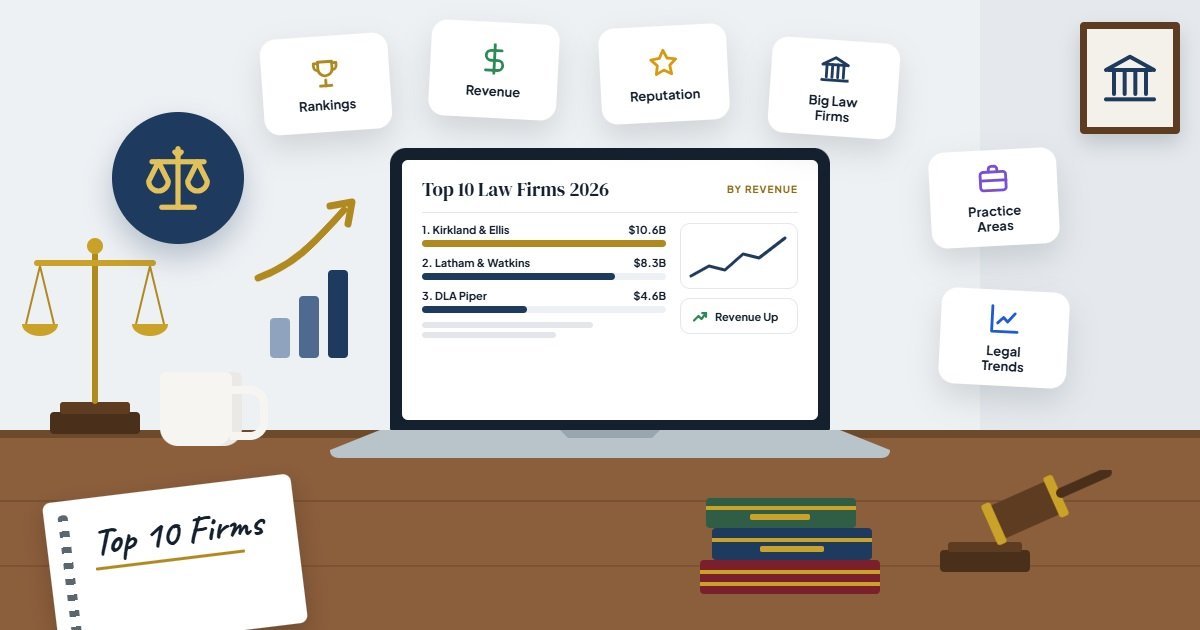
    1Kirkland & EllisChicago$10.556 billion+19.93%
    2Latham & WatkinsLos Angeles (founded)$8.300 billion+18.57%
    3DLA PiperGlobal (U.S. and U.K.)$4.583 billion+8.10%
    4Gibson, Dunn & CrutcherLos Angeles$4.211 billion+18.37%
    5Skadden, Arps, Slate, Meagher & FlomNew York City$4.073 billion+11.00%
    6Sidley AustinChicago$3.738 billion+8.68%
    7Ropes & GrayBoston$3.737 billion+9.39%
    8Baker McKenzieChicago$3.640 billion+7.24%
    9White & CaseNew York City$3.594 billion+8.36%
    10Simpson Thacher & BartlettNew York City$3.553 billion+22.66%

    Source: The American Lawyer, 2026 Am Law 100 (based on 2025 fiscal year results), as reported by Above the Law and the ABA Journal.

    A Closer Look at the Top 10 Law Firms in the USA

    1. Kirkland & Ellis

    Kirkland & Ellis holds the No. 1 spot again, and this year it set a new industry record. With $10.556 billion in revenue, it became the first law firm in history to pass the $10 billion mark, growing nearly 20% in a single year.

    Reputation: Founded in Chicago, Kirkland is widely known as a powerhouse in private equity, restructuring, and high-stakes litigation. With more than 4,100 lawyers, it is also one of the largest firms in the country, yet it still ranks among the most efficient in revenue per lawyer.

    2. Latham & Watkins

    Latham & Watkins remains a clear No. 2, bringing in $8.3 billion with growth of more than 18%. Together, Kirkland and Latham are far ahead of every other firm on the list.

    Reputation: Founded in Los Angeles, Latham is one of the most global U.S. firms. It is especially well known for corporate transactions, capital markets, mergers and acquisitions, and finance work for major companies around the world.

    3. DLA Piper

    DLA Piper holds steady at No. 3, with about $4.58 billion in revenue. There is a big gap between the top two firms and the rest of the field, and DLA Piper leads that next group.

    Reputation: DLA Piper has one of the largest global footprints of any law firm, with offices across many countries. It is known as a full-service firm that helps businesses with everything from real estate and intellectual property to employment and regulatory matters.

    4. Gibson, Dunn & Crutcher

    Gibson Dunn moved up one spot to No. 4, with revenue of about $4.21 billion and growth of more than 18%, one of the strongest increases in the top 10.

    Reputation: Also founded in Los Angeles, Gibson Dunn has a strong reputation in litigation, appellate work, white-collar defense, and mergers and acquisitions. It is often hired for complex, high-profile cases.

    5. Skadden, Arps, Slate, Meagher & Flom

    Skadden slipped one spot to No. 5, but it still grew revenue by 11% to about $4.07 billion.

    Reputation: Based in New York City, Skadden is one of the most famous names in corporate law. It is widely credited with helping build the modern mergers and acquisitions practice and remains a go-to firm for major deals, takeover battles, and investigations.

    6. Sidley Austin

    Sidley Austin ranks No. 6, earning about $3.74 billion, just ahead of Ropes & Gray by a very slim margin.

    Reputation: Founded in Chicago in the 1860s, Sidley is known for its strength in regulatory, finance, and litigation work. It was also one of the first law firms to create a standalone appellate practice, which remains a highlight of its reputation.

    7. Ropes & Gray

    Ropes & Gray ranks No. 7, with revenue of about $3.74 billion. It also placed among the top five firms for revenue per lawyer, showing strong efficiency for its size.

    Reputation: Founded in Boston in 1865 by two Harvard Law School graduates, Ropes & Gray is well known for private equity, life sciences, health care, and investment management work.

    8. Baker McKenzie

    Baker McKenzie ranks No. 8, with about $3.64 billion in revenue.

    Reputation: Headquartered in Chicago, Baker McKenzie expanded internationally much earlier than most U.S. firms. It was also the first law firm to pass $1 billion in annual revenue, back in 2004. Today, it is a top choice for global companies that need coordinated legal advice in many countries.

    9. White & Case

    White & Case ranks No. 9, with revenue of about $3.59 billion.

    Reputation: Based in New York City, White & Case is known for its international focus, especially in cross-border finance and international arbitration, where it is considered one of the industry leaders.

    10. Simpson Thacher & Bartlett

    Simpson Thacher is the newcomer to the top 10, jumping two spots to No. 10. Its revenue rose 22.66% to about $3.55 billion, the fastest growth of any firm in the top 10.

    Reputation: Based in New York City, Simpson Thacher is a leading firm for private equity, mergers and acquisitions, and capital markets. Its jump into the top 10 pushed Morgan, Lewis & Bockius down to No. 11.

    Beyond Revenue: The Most Profitable Law Firms

    Gross revenue shows size, but it doesn’t tell the whole story. Some of the most successful firms in America are much smaller than the giants on our list.

    The best example is Wachtell, Lipton, Rosen & Katz. With only about 272 lawyers, Wachtell doesn’t make the top 10 by revenue. But it leads the entire Am Law 100 in two key measures:

    • Profits per equity partner: about $12.15 million, the first time any Am Law 100 firm has passed $12 million.
    • Revenue per lawyer: about $5.09 million, nearly double the next firm, Susman Godfrey, at about $2.88 million.

    Other firms that stood out for efficiency include Davis Polk, Quinn Emanuel, Sullivan & Cromwell, and Paul Weiss, all known for elite, high-value legal work.

    Here’s what the main ranking measures mean:

    MeasureWhat It Shows
    Gross revenueThe total fees a firm collects, which reflects its overall size
    Revenue per lawyerHow much revenue each lawyer generates, a sign of efficiency and pricing power
    Profits per equity partnerHow much profit each owner-partner earns, a sign of profitability

    For context, the average revenue per lawyer across the Am Law 100 was about $1.39 million, and average profits per equity partner were about $3.59 million, up 14% from the prior year.

    Key Trends From the 2026 Rankings

    Looking at the numbers as a whole, a few clear trends stand out:

    • The biggest firms are pulling further ahead. Kirkland and Latham together earned far more than any other two firms, and the gap between them and the rest continues to grow.
    • Growth was almost universal. 94 of the 100 firms reported higher revenue, and 92 increased revenue per lawyer.
    • Transactional work drove big gains. Firms strong in private equity, mergers and acquisitions, and capital markets, like Kirkland, Latham, and Simpson Thacher, posted some of the fastest growth.
    • Size isn’t everything. Smaller elite firms like Wachtell show that a focused practice can be extremely profitable.

    What These Rankings Mean if You’re Choosing a Law Firm

    These rankings are useful for understanding the legal industry, but the biggest firm isn’t always the right firm for you. Most top-ranked firms focus on large corporations, major financial deals, and complex, high-stakes cases, and their fees usually reflect that.

    If you’re looking for legal help, consider these questions:

    1. Does the firm have strong experience in your specific legal issue? A top personal injury or family law firm may serve you better than a large corporate firm.
    2. Is the firm licensed and active in your state? Many legal matters depend on state law.
    3. Does the fee structure fit your budget? Ask about hourly rates, flat fees, or contingency fees upfront.
    4. Will you have direct access to an experienced lawyer? Good communication matters as much as reputation.
    5. What do past clients say? Reviews and referrals can tell you a lot about a firm’s service.

    Frequently Asked Questions

    What is the No. 1 law firm in the USA in 2026?

    Kirkland & Ellis is the No. 1 law firm in the USA by revenue in the 2026 Am Law 100, with $10.556 billion in 2025 revenue. It is the first law firm ever to pass $10 billion in a single year.

    What is the Am Law 100?

    The Am Law 100 is an annual ranking of the 100 highest-grossing law firms in the United States, published by The American Lawyer. It ranks firms mainly by gross revenue and also reports revenue per lawyer, profits per equity partner, and partner compensation.

    Which U.S. law firm is the most profitable?

    Wachtell, Lipton, Rosen & Katz is the most profitable by profits per equity partner, at about $12.15 million in the 2026 rankings. It also leads in revenue per lawyer.

    How many U.S. law firms earn more than $1 billion a year?

    In the 2026 Am Law 100, 62 firms reported more than $1 billion in revenue, up from 58 the year before.

    Which firm grew the fastest in the top 10?

    Simpson Thacher & Bartlett grew the fastest among the top 10, with revenue up 22.66%, which moved it into the top 10 for this year’s ranking.

    Is the biggest law firm the best choice for my legal issue?

    Not necessarily. The largest firms mainly serve big companies on major deals and complex cases. For personal legal matters, a firm with strong experience in your specific area and state is usually a better fit.

    Final Thoughts

    The 2026 rankings show a legal industry at the top of its game. Kirkland & Ellis made history, Latham & Watkins stayed strong at No. 2, and Simpson Thacher earned its place in the top 10 with impressive growth. At the same time, firms like Wachtell prove that reputation and profitability don’t always depend on size.

    Whether you’re a law student exploring careers, a business looking for legal partners, or simply curious about the industry, these rankings offer a clear picture of who leads American law in 2026.

    Are you a law firm looking to grow your online presence? Even the best legal expertise needs to be found. At Anexplore Digital, we help law firms attract more clients with SEO, content marketing, and AI-powered digital strategies. Contact Anexplore Digital to learn how we can help your firm stand out online.

    Sources

    Disclaimer: This article is for general informational purposes only. Rankings and financial figures are based on publicly reported data from the 2026 Am Law 100 and may change. Anexplore Digital is not affiliated with any of the law firms mentioned, and this article is not legal advice or an endorsement of any firm.

  • AI SEO for Travel Agencies: How to Get More Bookings From Google

    AI SEO for Travel Agencies: How to Get More Bookings From Google

    What Is AI SEO for Travel Agencies?

    AI SEO means two things working together:

    1. Using AI tools to do SEO faster and smarter. AI can help you find keywords, plan content, write first drafts, analyze competitors, and spot technical problems on your website.
    2. Optimizing your website for AI-powered search. Google now shows AI Overviews at the top of many results, and more travelers are using tools like ChatGPT, Gemini, and Perplexity to plan trips. AI SEO helps your agency show up in these answers, not just in the classic list of blue links.

    Why AI SEO Matters for Travel Agencies Right Now

    Travel is one of the most competitive industries online. Big booking platforms dominate many general searches like “cheap flights” or “hotels in Paris.” Trying to beat them head-on is hard.

    But travel agencies have something those platforms don’t: real expertise, personal service, and specialized trips. AI SEO helps you highlight those strengths and win the searches where you can actually compete, such as:

    • Specific destinations and experiences (“honeymoon packages in Bali”)
    • Niche travel styles (“accessible tours for seniors in Europe”)
    • Local searches (“travel agency near me” or “travel agent in Houston”)
    • Questions travelers ask before booking (“best time to visit Iceland for the Northern Lights”)

    These searches often come from people who are closer to booking, which means more qualified leads for your agency.

    10 AI SEO Strategies to Get More Travel Bookings From Google

    1. Use AI for Smarter Keyword Research

    Keyword research shows you exactly what travelers type into Google. AI tools make it faster to find long-tail keywords, the specific phrases that are easier to rank for and more likely to lead to bookings.

    How to do it:

    • Ask an AI tool to brainstorm questions travelers ask about your top destinations.
    • Check search volume and competition with tools like Google Keyword Planner, Semrush, or Ahrefs.
    • Focus on phrases with clear intent, such as “all-inclusive family vacation packages to Jamaica.”

    2. Build Strong Destination Pages

    Destination pages are often the heart of a travel agency website. A page that simply lists a few hotels won’t stand out. A complete, helpful guide will.

    How to do it:

    • Create one detailed page for each key destination you sell.
    • Include the best time to visit, top experiences, travel tips, sample itineraries, and your available packages.
    • Use AI to draft an outline, then add your team’s first-hand knowledge and photos.

    3. Optimize Your Tour and Package Pages

    Your package pages are where bookings actually happen, so they need to be clear and persuasive.

    How to do it:

    • Write a unique description for every package. Avoid copying supplier text that appears on dozens of other websites.
    • Clearly list what’s included, pricing, dates, and who the trip is best for.
    • Add strong calls to action like “Request a Quote” or “Book Your Trip.”

    4. Publish Helpful Travel Blog Content

    A travel blog helps you rank for the questions people ask while planning. It also builds trust long before someone is ready to book.

    How to do it:

    • Use AI to plan a content calendar around seasonal trips, holidays, and popular destinations.
    • Write practical posts such as packing lists, budget guides, visa tips, and itinerary ideas.
    • Link each blog post to a related destination or package page.

    5. Win Local Searches With Google Business Profile

    Many travelers still prefer working with a local agent they can trust. Your Google Business Profile helps you appear in local results and on Google Maps.

    How to do it:

    • Complete every section of your profile, including services, hours, photos, and website link.
    • Post updates and special offers regularly. AI can help you write these quickly.
    • Make sure your business name, address, and phone number match everywhere online.

    6. Collect and Respond to Reviews

    Reviews influence both Google rankings and traveler decisions. A steady stream of positive reviews tells everyone that your agency is trustworthy.

    How to do it:

    • Ask happy travelers for a review after every trip, with a direct link to make it easy.
    • Reply to every review, positive or negative, in a professional and friendly way.
    • Use AI to help draft thoughtful replies, then personalize them before posting.

    7. Add Schema Markup

    Schema markup is code that helps search engines understand your content, such as your business details, reviews, tours, and FAQs. It can help your pages appear with richer details in search results.

    How to do it:

    • Add relevant schema types like LocalBusiness, TravelAgency, FAQPage, and Product or Offer for packages.
    • Use a plugin like Yoast or Rank Math if your site runs on WordPress.
    • Test your markup with Google’s Rich Results Test.

    8. Optimize for Google AI Overviews and AI Search

    AI search tools pull answers from clear, trustworthy content. If your pages answer travel questions directly, they have a better chance of being cited.

    How to do it:

    • Start key sections with a short, direct answer, then add details.
    • Use question-based headings, like “When Is the Best Time to Visit Greece?”
    • Add an FAQ section to your destination and package pages.
    • Show real expertise with author bios, client stories, and first-hand travel tips.

    9. Make Your Website Fast and Mobile-Friendly

    Many travelers browse trips on their phones. A slow or hard-to-use website sends visitors away and can hurt your rankings.

    How to do it:

    • Compress large travel photos without losing quality.
    • Check your site in Google PageSpeed Insights and fix the main issues it reports.
    • Make booking and inquiry forms short and easy to use on mobile.

    10. Track Results and Improve With AI

    SEO isn’t a one-time task. Tracking your results shows you what’s working and where to focus next.

    How to do it:

    • Use Google Search Console to see which searches bring visitors to your site.
    • Use Google Analytics to track inquiries and bookings from organic search.
    • Ask AI tools to help summarize your data and suggest pages to update.

    Helpful AI Tools for Travel Agency SEO

    You don’t need dozens of tools to get started. Here are some popular options and what they’re useful for:

    ToolBest For
    ChatGPT, Claude, or GeminiBrainstorming topics, outlining pages, drafting content, and writing review replies
    Google Keyword PlannerFree keyword ideas and search volume estimates
    Semrush or AhrefsIn-depth keyword research, competitor analysis, and rank tracking
    Surfer SEOOptimizing content structure and keyword usage
    Google Search ConsoleSeeing which searches bring visitors and spotting indexing issues
    Google PageSpeed InsightsChecking site speed and mobile performance
    CanvaCreating visuals for blog posts, social media, and Google Business Profile updates

    Tip: Start with the free tools, then add paid ones as your SEO efforts grow.

    Common AI SEO Mistakes Travel Agencies Should Avoid

    AI is a powerful helper, but using it the wrong way can hurt your rankings and your reputation. Watch out for these common mistakes:

    • Publishing unedited AI content. Generic, robotic text doesn’t build trust or stand out. Always review, fact-check, and add your own experience.
    • Sharing outdated or incorrect travel information. AI tools can get visa rules, prices, or opening hours wrong. Double-check important details before publishing.
    • Copying supplier descriptions. Duplicate content gives Google no reason to rank your page over others. Write unique descriptions for your packages.
    • Ignoring local SEO. Many agencies focus only on blog content and forget their Google Business Profile, which is often the fastest way to get local leads.
    • Chasing only high-volume keywords. Broad terms are dominated by big booking sites. Specific, niche keywords usually bring better results.
    • Not tracking results. Without data, you can’t tell what’s bringing bookings. Check your results at least once a month.

    Frequently Asked Questions

    What is AI SEO for travel agencies?

    AI SEO for travel agencies means using AI tools to improve your search engine optimization and making your website easier for AI-powered search tools, like Google AI Overviews and ChatGPT, to understand and recommend.

    Can a small travel agency compete with big booking sites on Google?

    Yes. Small agencies usually can’t win broad searches like “cheap hotels,” but they can rank well for specific destinations, niche trips, local searches, and detailed travel questions, which often bring more qualified leads.

    How long does SEO take to bring travel bookings?

    Most travel agencies start seeing meaningful SEO results within three to six months. Results depend on your competition, your website’s current condition, and how consistently you publish and improve content.

    Is AI-written content bad for SEO?

    Not by itself. Google focuses on whether content is helpful, accurate, and trustworthy, not on how it was created. AI-assisted content works best when a travel expert reviews it and adds real experience.

    How can my travel agency show up in Google AI Overviews?

    Answer travel questions clearly and directly, use question-based headings, add FAQ sections, keep information up to date, and show your expertise with real stories and author details.

    Should I hire an agency for travel SEO or do it myself?

    You can handle the basics yourself with the steps in this guide. If you’re short on time or want faster, more consistent results, working with an experienced SEO team can help you grow without pulling you away from your clients.

    Turn Google Searches Into Travel Bookings

    Travelers are already searching for the trips you sell. AI SEO helps make sure they find your agency instead of a competitor. By targeting the right keywords, building helpful destination and package pages, strengthening your local presence, and optimizing for AI-powered search, you can steadily grow your bookings from Google.

    Start with one or two strategies from this guide, track your results, and keep improving. Small, consistent steps add up to big results over time.

    Ready to grow your travel agency with AI SEO? At Anexplore Digital, we help travel businesses get found online with AI-powered SEO, content, and digital marketing strategies built to bring in real bookings. Contact Anexplore Digital today to get started.

  • How AI Tools Can Improve Your Business Website

    How AI Tools Can Improve Your Business Website

    Introduction

    Your business website works around the clock. It answers questions, shows off your services, and turns visitors into customers. But keeping it fast, helpful, and up to date takes time that most business owners simply don’t have.

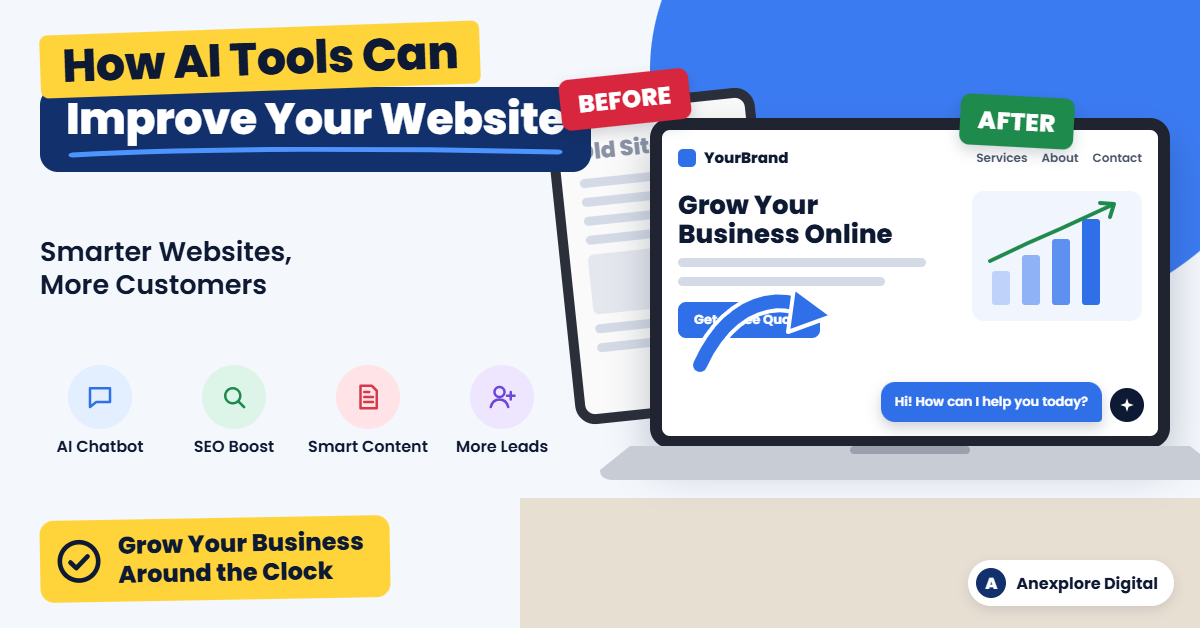
    That’s where artificial intelligence (AI) comes in. Today, AI tools can help you write better content, answer customer questions instantly, improve your search rankings, and understand what your visitors really want.

    The best part? You don’t need to be a tech expert or have a big budget to get started. Many AI tools are affordable, easy to use, and designed for small and growing businesses.

    In this guide, you’ll learn how AI tools can improve your business website, which types of tools are worth using, how to get started, and which mistakes to avoid.

    What Are AI Tools for Business Websites?

    AI tools for business websites are software programs that use artificial intelligence to handle tasks that normally require human time and effort. They can understand language, spot patterns in data, and make suggestions or decisions based on what they learn.

    For example, an AI tool might:

    • Answer a customer’s question through a website chat window
    • Suggest better headlines for your service pages
    • Find keywords your customers are searching for on Google
    • Show different product recommendations to different visitors
    • Alert you when your website is loading slowly

    In simple terms, AI tools act like a smart assistant for your website. They help you work faster, make better decisions, and give visitors a more helpful experience.

    10 Ways AI Tools Can Improve Your Business Website

    AI can help almost every part of your website, from the first impression to the final sale. Here are ten practical ways to put it to work.

    1. Provide 24/7 Customer Support with AI Chatbots

    Customers often have questions outside regular business hours. An AI chatbot can answer common questions instantly, day or night.

    It can share your business hours, explain your services, help visitors book appointments, and collect contact details for follow-up. When a question is too complex, a good chatbot can pass the conversation to a real person.

    Tip: Train your chatbot with your own FAQs, service details, and policies so its answers are accurate and match your brand.

    2. Create Better Website Content Faster

    Writing service pages, blog posts, and product descriptions takes time. AI writing tools can help you create first drafts, brainstorm ideas, and rewrite content so it is clearer and easier to read.

    However, AI should support your writing, not replace your expertise. Always review, edit, and add your own experience, examples, and brand voice before publishing.

    3. Improve Your Search Engine Rankings

    A beautiful website won’t help much if customers can’t find it on Google. AI-powered SEO tools can help you:

    • Find keywords your target customers are searching for
    • Analyze what top-ranking competitors are doing
    • Suggest improvements to titles, headings, and meta descriptions
    • Identify missing topics in your content
    • Spot technical issues such as broken links or missing image alt text

    With these insights, you can make smarter decisions about which pages to improve and which new content to create.

    4. Personalize the Visitor Experience

    Not every visitor wants the same thing. AI personalization tools can show different content, offers, or product recommendations based on a visitor’s behavior, location, or interests.

    For example, an online store might recommend products similar to the ones a shopper just viewed. A service business might highlight different services for first-time visitors and returning customers.

    Personalization helps visitors find what they need faster, which can increase engagement and sales.

    5. Design and Build Pages More Easily

    Many website builders now include AI features that can suggest layouts, color schemes, and page sections. Some can even create a basic page draft from a short description of your business.

    These features are useful for quick drafts and new ideas. For a polished, professional website that reflects your brand, combine AI suggestions with thoughtful design and careful testing.

    6. Make Your Website More Accessible

    An accessible website is easier for everyone to use, including people with disabilities. AI tools can help generate image alt text, check color contrast, and flag issues that may make your site harder to navigate.

    AI tools are a helpful starting point, but they cannot guarantee full compliance with accessibility standards such as the Web Content Accessibility Guidelines (WCAG). A manual review is still important.

    7. Speed Up Your Website

    Slow websites frustrate visitors and can hurt your search rankings. AI-powered performance tools can compress images, identify heavy files, and suggest fixes that help pages load faster.

    Some hosting and content delivery services also use smart technology to deliver content more efficiently to visitors in different locations.

    8. Understand Your Visitors with Smarter Analytics

    Your website data holds valuable information, but it can be hard to understand. AI analytics tools can highlight trends, explain changes in traffic, and point out pages where visitors are leaving.

    Instead of digging through endless reports, you get clear insights you can act on, such as which pages need improvement or which marketing channels bring in the best leads.

    9. Strengthen Website Security

    Cyber threats are a real concern for businesses of every size. Many modern security tools use AI to detect unusual activity, block suspicious traffic, and filter spam from contact forms.

    AI-powered security adds an extra layer of protection, but it works best alongside basics such as regular updates, strong passwords, and reliable backups.

    10. Generate and Qualify More Leads

    AI can help turn more visitors into potential customers. Smart forms, chatbots, and pop-ups can ask the right questions at the right time and collect useful information.

    Some tools can also score leads based on their behavior, helping you focus on the people most likely to become customers. When connected to your customer relationship management (CRM) system, AI can make follow-up faster and more organized.

    Popular Types of AI Tools for Business Websites

    The right tools depend on your goals. This table shows common categories and how each one can help your website.

    AI tool categoryWhat it helps withBest for
    AI chatbotsAnswering questions, booking appointments, capturing leadsService businesses, online stores
    AI writing assistantsDrafting blog posts, page copy, and product descriptionsBusinesses that publish content regularly
    AI SEO toolsKeyword research, content optimization, technical auditsBusinesses that want more organic traffic
    AI website buildersPage layouts, design suggestions, quick draftsNew websites and landing pages
    AI image toolsCreating, editing, and resizing website imagesBrands that need fresh visuals
    AI analytics toolsTraffic insights, visitor behavior, trend reportsBusinesses that make data-driven decisions
    AI personalization toolsProduct recommendations, tailored content and offersE-commerce and membership websites
    AI security toolsThreat detection, spam filtering, bot blockingAny business website

    Tip: Start with one or two categories that solve your biggest problem instead of adding many tools at once.

    How to Start Using AI Tools on Your Business Website

    You don’t have to change everything at once. Follow these simple steps to add AI to your website the smart way.

    1. Identify your biggest challenge. Are you missing leads after hours? Struggling to rank on Google? Spending too long writing content? Choose the problem that matters most to your business right now.
    2. Choose the right type of tool. Match the tool to the problem. For example, use a chatbot for customer questions or an SEO tool for search visibility.
    3. Check compatibility. Make sure the tool works with your website platform, such as WordPress, Shopify, Wix, or Squarespace.
    4. Review privacy and security. Read how the tool collects, stores, and uses data, especially if it handles customer information.
    5. Start small and test. Try the tool on one page or one task first. Many tools offer free trials or free plans.
    6. Measure the results. Track changes in traffic, leads, response times, or sales so you know whether the tool is worth keeping.
    7. Expand what works. Once a tool proves its value, use it more widely or add another tool to solve your next challenge.

    Common Mistakes to Avoid When Using AI on Your Website

    AI is powerful, but it isn’t perfect. Avoid these common mistakes to protect your brand and your customers.

    Publishing AI content without review. AI can make factual errors or sound generic. Always check facts, edit for clarity, and add your own expertise before anything goes live.

    Losing your brand voice. Your customers choose you for who you are. Make sure AI-generated text still sounds like your business.

    Ignoring data privacy. Some AI tools process visitor information. Make sure your privacy policy is accurate and that you follow the laws that apply to your business.

    Using too many tools at once. Too many plugins and scripts can slow down your website and create conflicts. Choose quality over quantity.

    Letting chatbots frustrate customers. A chatbot that can’t help is worse than no chatbot at all. Always give visitors an easy way to reach a real person.

    Setting it and forgetting it. AI tools need regular review. Check their performance, update their information, and adjust settings as your business grows.

    DIY AI Setup vs. Professional Help

    Some AI tools are simple enough to set up on your own. Others take more planning, customization, and testing. This comparison can help you decide.

    SituationDIY approachProfessional help
    Adding a basic chatbot pluginOften suitableOptional
    Writing a few blog posts with AI helpSuitable with careful editingHelpful for SEO strategy
    Full website SEO improvementTime-consuming to learnSaves time and builds a clear plan
    Custom chatbot trained on your servicesRequires technical setupUseful for accuracy and integration
    Connecting AI with your CRM or lead formsCan be complexRecommended for reliable automation
    Building a new AI-ready business websitePossible with website buildersDelivers a polished, branded result

    If you have the time and enjoy learning new technology, starting on your own is a great option. If you would rather focus on running your business, a professional team can set up, test, and manage the right tools for you.

    Frequently Asked Questions

    1. How can AI tools improve my business website?

    AI tools can improve your website by answering customer questions 24/7, helping you create content faster, improving SEO, personalizing the visitor experience, speeding up pages, strengthening security, and helping you collect more leads.

    2. Are AI tools expensive for small businesses?

    Not necessarily. Many AI tools offer free plans or affordable monthly subscriptions. Costs depend on the features you need, the number of users, and how much you use the tool.

    3. Do I need technical skills to use AI on my website?

    Many AI tools are designed for beginners and work as simple plugins or built-in features. More advanced setups, such as custom chatbots or CRM integrations, may require technical help.

    4. Can AI write all of my website content?

    AI can help you draft content, but it should not replace human review. Edit everything for accuracy, clarity, and brand voice, and add your real experience so the content is truly helpful.

    5. Will AI-generated content hurt my Google rankings?

    Google focuses on whether content is helpful, accurate, and created for people, not simply on how it was produced. Low-quality content made only to manipulate rankings can perform poorly, so always prioritize quality.

    6. Is an AI chatbot worth it for a small business?

    For many businesses, yes. A chatbot can answer common questions, capture leads after hours, and save your team time. Make sure it is set up with accurate information and offers a way to contact a real person.

    7. Which AI tool should I start with?

    Start with the tool that solves your biggest problem. If you miss customer inquiries, try a chatbot. If you need more traffic, start with an AI SEO tool. If content takes too long, try an AI writing assistant.

    Final Thoughts

    AI tools are no longer just for large corporations. Today, businesses of every size can use AI to build smarter, faster, and more helpful websites.

    From 24/7 chatbots and better content to stronger SEO and more qualified leads, AI can help your website work harder for your business. The key is to start with a clear goal, choose the right tools, and keep a human touch in everything you publish.

    Ready to make your business website smarter?

    At Anexplore Digital, we help businesses use AI-powered solutions to improve their websites, attract more visitors, and turn traffic into customers. Whether you need a new business website, AI chatbot setup, SEO improvements, or lead generation support, our team is here to help.

    Contact us today to discuss your project and find the right AI solutions for your business.


    About the Author

    Anexplore Digital is a digital marketing and data solutions agency that helps businesses grow online and work more efficiently. Our services include social media marketing, content creation, lead generation, custom website and e-commerce design, and AI-powered digital marketing. We also provide Excel automation, VBA development, Power BI dashboards, and fillable PDF form solutions.

    We help businesses improve their online visibility, reach high-intent audiences, and build sustainable growth strategies. With experience serving clients across the United States, the United Kingdom, Europe, Canada, Australia, and beyond, our team continually explores emerging technologies, AI tools, search trends, and marketing strategies to deliver practical value for every client.

  • How to Make a PDF Fillable: A Professional PDF Form Creation Guide

    How to Make a PDF Fillable: A Professional PDF Form Creation Guide

    Have you ever needed to turn a regular PDF document into a form that people can complete on their computers or phones? Whether you need a customer intake form, job application, invoice, contract, or employee information form, a fillable PDF can make the process faster and more convenient.

    Learning how to make a PDF fillable can help you reduce paperwork, collect information more efficiently, and create a better experience for your customers, employees, and business partners.

    The good news is that you do not always need to create a new document from scratch. You can often convert an existing PDF, Word document, Excel file, or scanned form into an interactive PDF.

    In this guide, you will learn how to create a fillable PDF, which tools you can use, what features to include, and when professional PDF form creation services may be the better choice.

    What Is a Fillable PDF?

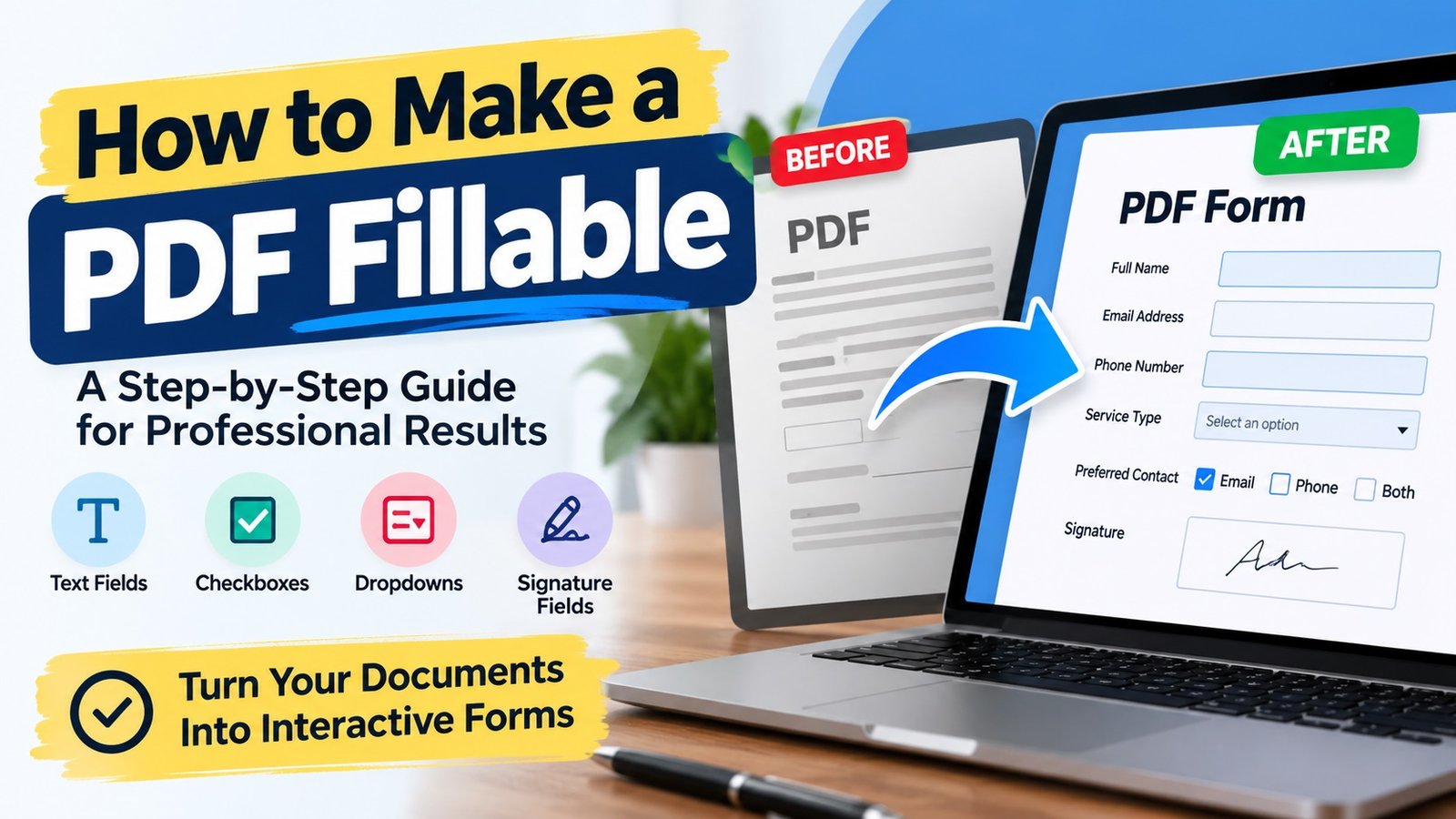
    A fillable PDF is a Portable Document Format file that contains interactive fields users can complete electronically. Instead of printing the document and writing on it by hand, users can enter information directly into the form.

    Depending on how the form is designed, it may include:

    • Text fields: Enter names, addresses, phone numbers, and other information.
    • Checkboxes: Select one or more options.
    • Radio buttons: Choose one option from a group.
    • Dropdown menus: Select from a list of predefined choices.
    • Date fields: Enter or select dates.
    • Signature fields: Add a signature where supported by the chosen PDF software.
    • Calculated fields: Perform basic calculations, such as adding invoice totals.
    • Submit buttons: Send completed information through a configured submission method.

    For example, a business can use a fillable PDF customer intake form to collect contact details, project requirements, and service preferences without asking customers to print and scan multiple pages.

    A well-designed fillable PDF can help businesses organize information, reduce manual data entry, and simplify everyday administrative tasks.

    Why Do Businesses Need Fillable PDF Forms?

    Businesses across the United States use fillable PDF forms for many different purposes. They are especially useful when information needs to be collected in a consistent format.

    Here are some common applications.

    1. Customer Intake Forms

    Service providers, consultants, agencies, and other businesses can use fillable PDF intake forms to collect customer information before starting a project.

    These forms may include contact information, service requirements, project details, and additional questions.

    2. Job Applications and Employee Forms

    HR teams can use fillable PDF forms for job applications, employee information, onboarding documents, and internal requests.

    Standardized fields help employees and applicants provide information in a consistent format.

    3. Invoices and Payment Forms

    Businesses can use fillable PDF invoices to enter customer details, product or service descriptions, quantities, prices, and payment terms.

    Calculated fields can also be configured when supported by the PDF software and form design.

    4. Contracts and Agreements

    Fillable PDF documents can make it easier to enter names, dates, addresses, and other contract details. Signature fields may also be included when appropriate.

    For legally significant documents, make sure the form and signing process meet the requirements that apply to your situation.

    5. Surveys and Feedback Forms

    Organizations can use fillable PDF questionnaires to collect feedback, preferences, registrations, and other responses.

    The right combination of text fields, checkboxes, and dropdown menus makes these forms easier to complete.

    How to Make a PDF Fillable: Step-by-Step Guide

    One of the most common ways to create a fillable PDF is to use Adobe Acrobat. It allows you to work with existing documents, add interactive fields, review the form, and save the finished file.

    Follow these steps to create a fillable PDF form.

    Step 1: Prepare Your Existing Document

    Start with the document you want to convert into a fillable PDF.

    You can use:

    • An existing PDF document
    • A Microsoft Word document
    • An Excel spreadsheet
    • A scanned paper form
    • A document designed using another compatible application

    Before you begin, review the document’s layout. Make sure the labels are clear, the spacing is consistent, and there is enough room for users to enter information.

    For example, a customer information form might include sections for full name, email address, phone number, business name, and service requirements.

    Tip: A clean, organized document is easier to convert into a professional fillable PDF.

    Step 2: Open Adobe Acrobat

    Open your document in Adobe Acrobat.

    In the Acrobat interface, locate Prepare a form. Depending on your version, you may find it under All tools or through the form preparation options.

    Choose the document you want to use as the starting point.

    If you are creating a form from a blank page, Acrobat also supports creating a form from scratch.

    Step 3: Automatically Detect Form Fields

    When you use an existing document, Acrobat can analyze the layout and identify areas that may be intended for form fields.

    For example, it may recognize blank lines or spaces next to labels such as:

    • Full Name
    • Email Address
    • Phone Number
    • Date
    • Signature

    Review the automatically detected fields carefully. Automatic detection can save time, but it may not identify every field correctly.

    You may need to move, resize, remove, or add fields to match the document’s layout.

    Step 4: Add the Required Form Fields

    Next, add the interactive fields your document needs.

    Choose the appropriate field type for each question or information area.

    For example:

    Information neededRecommended field
    Customer nameText field
    Email addressText field
    Preferred serviceDropdown menu
    Terms acknowledgmentCheckbox
    Preferred contact methodRadio buttons
    Appointment dateDate field
    Customer signatureSignature field

    Avoid adding unnecessary fields. A form should collect the information you actually need without making the process difficult for users.

    For longer responses, consider using multiline text fields. For required information, configure the field’s required setting when supported.

    Step 5: Customize the Form Fields

    A professional fillable PDF should do more than look good. Its fields should also work correctly.

    Review the properties of each field and customize the settings where needed.

    Consider these improvements:

    • Use clear field names.
    • Make text fields large enough for the expected answers.
    • Set appropriate date or number formats.
    • Mark essential fields as required.
    • Add helpful descriptions or tooltips.
    • Configure dropdown options carefully.
    • Set a logical order for moving between fields using the keyboard.

    For example, a date field should accept dates in the format your business expects. A phone number field should provide enough space for the intended format.

    These small details can make a form easier to complete and reduce avoidable mistakes.

    Step 6: Add Signature or Submission Features if Needed

    Some forms need more than basic text fields and checkboxes.

    Depending on your requirements, you may want to include a signature field, a reset button, a submit button, or automatic calculations.

    However, these features require the right configuration.

    A signature field does not automatically mean that a document has a legally valid electronic signature workflow. Similarly, a submit button will not necessarily send information anywhere unless the submission method has been configured correctly.

    Before distributing the form, confirm that any required signature, submission, or calculation feature works as intended.

    Step 7: Preview and Test the Form

    Never assume a fillable PDF is ready just because the fields appear on the page.

    Preview the form and complete it as a typical user would.

    Check the following:

    • Can you enter information into every intended field?
    • Do the checkboxes and dropdown menus work?
    • Are the fields positioned correctly?
    • Can users enter longer responses where needed?
    • Do required fields behave as expected?
    • Are the tab order and field labels logical?
    • Do calculations and buttons work correctly?
    • Can the completed document be saved and reopened with the entered information intact?

    Test the form in the PDF applications and devices your intended users are likely to use. Some advanced features may behave differently across viewers.

    Once you are satisfied with the results, save the finished PDF and keep an original copy for future edits.

    How to Make a PDF Fillable Without Adobe Acrobat

    Adobe Acrobat is one option, but it is not the only tool available.

    Depending on your needs, you can explore other PDF editors and form creation tools. Some offer online editing, while others provide desktop applications.

    When choosing a tool, consider these factors:

    Ease of use: Can you add and edit form fields without a complicated process?

    Field options: Does the tool support text fields, checkboxes, dropdowns, and signature-related features?

    Compatibility: Will the finished PDF work in the applications your recipients use?

    Privacy: Does the tool meet your requirements for handling confidential documents?

    Cost: Does the available free plan or paid subscription include the features you need?

    Advanced functionality: Do you need calculations, validation rules, automatic submissions, or other specialized features?

    Free tools may be sufficient for a simple form. For a complex business document, however, you may need a more capable editor or professional assistance.

    Before uploading sensitive business or customer information to an online PDF tool, review its privacy policy and data-handling practices.

    Common Fillable PDF Problems and How to Fix Them

    Even a carefully prepared form can have problems if its fields or settings are not configured correctly.

    Here are several common issues to check.

    The PDF Is Not Actually Fillable

    A PDF may contain blank lines and boxes without having interactive form fields.

    Solution: Open the document in a PDF editor that supports form creation and add the appropriate interactive fields.

    Text Does Not Fit Inside the Fields

    A field may be too small for a name, address, or longer response.

    Solution: Resize the field or adjust its text settings. Test the field with realistic sample answers before distributing the document.

    Entered Information Is Not Saved

    Some users may enter information but find that it disappears when they reopen the file.

    Solution: Check the PDF viewer, save the completed document locally, reopen it, and verify that the information remains. If the issue continues, test the form in another supported PDF application.

    The Dropdown Menu or Checkbox Does Not Work

    This may happen when fields have been configured incorrectly or a PDF viewer does not support a particular feature as expected.

    Solution: Review the field properties and test the document in a compatible PDF application.

    The Form Looks Different on Another Device

    Fonts, field sizes, and advanced features may not display consistently across every device or viewer.

    Solution: Test the PDF on common desktop and mobile viewing environments and adjust the layout where necessary.

    The Submit Button Does Not Send the Form

    A button may look functional but lack a configured submission action.

    Solution: Check the submission settings and confirm that the destination and workflow are configured correctly. If the form collects sensitive information, use an appropriate secure submission method.

    DIY PDF Creation vs. Professional Fillable PDF Services

    Creating a basic fillable PDF yourself can be a practical choice. However, some projects require more time, technical knowledge, or attention to detail.

    The right approach depends on the complexity of the form and how it will be used.

    RequirementDIY approachProfessional service
    Simple form with a few fieldsOften suitableOptional
    Converting an existing documentSuitable for many usersHelpful for complex layouts
    Multiple pages and many fieldsCan take more timeUseful for efficient setup
    Advanced calculations and validationRequires additional knowledgeUseful when specialized configuration is needed
    Consistent business brandingRequires design effortCan provide a polished, consistent layout
    Testing and quality assuranceMust be handled by youCan be included in the agreed scope

    Professional PDF form creation services can help when you need a polished, reliable document without spending hours configuring and testing individual fields.

    A service provider may help convert an existing document, add interactive fields, configure dropdown menus, create signature areas, improve the layout, and test the finished PDF.

    The exact deliverables depend on the provider and the project requirements, so confirm the scope before placing an order.

    What to Look for in a Professional Fillable PDF Service

    If you plan to hire someone to create a fillable PDF, consider more than the appearance of the final document.

    Look for a provider who can:

    • Convert existing Word, Excel, or PDF documents into interactive forms.
    • Create and configure the required form fields.
    • Preserve your existing layout or improve it when requested.
    • Add dropdowns, checkboxes, signature areas, and other required elements.
    • Configure calculations or validation rules when needed.
    • Test the form and correct field alignment issues.
    • Deliver the editable source file or reusable template if included in the agreement.
    • Handle confidential documents according to your privacy requirements.

    Before requesting a quote, explain what the form needs to do, how many pages it contains, which fields are required, and whether you need advanced functionality.

    Providing the original document and a list of requirements can help the service provider estimate the work more accurately.

    Frequently Asked Questions About Fillable PDFs

    1. How do I make a PDF fillable?

    Open your PDF in a compatible PDF editor, locate its form creation tool, and add interactive fields such as text boxes, checkboxes, dropdown menus, or signature fields. Preview the form, test the fields, and save the finished document.

    2. Can I make an existing PDF fillable?

    Yes. You can often convert an existing PDF into a fillable form without rebuilding the entire document. You may need to add or adjust fields manually, especially if the original file has a complex layout.

    3. Can I turn a Word document into a fillable PDF?

    Yes. You can export or save your Word document as a PDF and then use a compatible PDF editor to add interactive form fields. Some PDF editors can also work directly with supported source documents.

    4. Can I convert a scanned document into a fillable PDF?

    Yes. A scanned document can serve as the background for a fillable form. You can add interactive fields over the relevant areas. Depending on the scan, you may need to improve the image quality or correct the layout before adding fields.

    5. Can I create a fillable PDF for free?

    Some tools offer free PDF editing or form creation features. Availability varies by application and plan, so check whether the tool supports the field types and functions you need before starting.

    6. Can a fillable PDF include an electronic signature?

    Yes. A PDF can include a signature field or be used in a supported electronic signature workflow. The exact functionality depends on the PDF editor and signing solution. For important agreements, verify that the process meets your legal and business requirements.

    7. Why is my fillable PDF not working?

    Common reasons include missing or incorrectly configured fields, unsupported PDF viewer features, problems saving the completed document, and incorrectly configured buttons. Test the file in a compatible viewer and review the field properties.

    8. Should I hire a professional to create a fillable PDF?

    Professional help may be worthwhile if your form has multiple pages, many fields, complex calculations, specific branding requirements, or advanced submission features. For a simple form, creating it yourself may be sufficient.

    Final Thoughts

    Learning how to make a PDF fillable can help you replace manual paperwork with a more convenient digital process. Whether you are creating a customer intake form, employee application, invoice, contract, or feedback questionnaire, the key is to combine a clear layout with correctly configured and thoroughly tested form fields.

    For simple documents, a PDF editor may provide everything you need. For more complex business forms, professional PDF form creation services can help save time and deliver a polished result.

    Need a professionally created fillable PDF?

    If you have an existing PDF, Word document, Excel file, or scanned form that needs to become an interactive PDF, consider getting professional help. A well-designed fillable form can make it easier for your customers, employees, and business partners to provide information accurately.

    Contact us to discuss your requirements for custom fillable PDF form creation, document conversion, interactive form fields, and PDF form customization. Share your document and explain the features you need to receive a quote for your project.

    About the Author

    Anexplore Digital is a digital marketing and data solutions agency that helps businesses grow online and work more efficiently. Our services include social media marketing, content creation, lead generation, custom website and e-commerce design, and AI-powered digital marketing. We also provide Excel automation, VBA development, Power BI dashboards, and fillable PDF form solutions.

    We help businesses improve their online visibility, reach high-intent audiences, and build sustainable growth strategies. With experience serving clients across the United States, the United Kingdom, Europe, Canada, Australia, and beyond, our team continually explores emerging technologies, AI tools, search trends, and marketing strategies to deliver practical value for every client.